A/B Testing
PROTest different ad configurations to find which performs best and maximize your revenue.
What is A/B Testing?
A/B Testing (also called split testing) allows you to compare different ad configurations to find which one generates the most revenue. You can test:
Different Ad Sizes
Test 300x250 vs 300x600 to see which generates more revenue in the same spot.
Different Formats
Compare display ads vs sticky ads to find which users engage with more.
Different Positions
Test ads at the top vs middle vs bottom of content.
Different Targeting
Compare different key value combinations for better targeting.
A/B Testing Rules
Supported Formats
- Display ads
- Sticky ads
- Cube ads
- Video ads (can only be tested with other video ads)
Not Supported
- Code blocks
- Interstitial ads
Creating an A/B Test
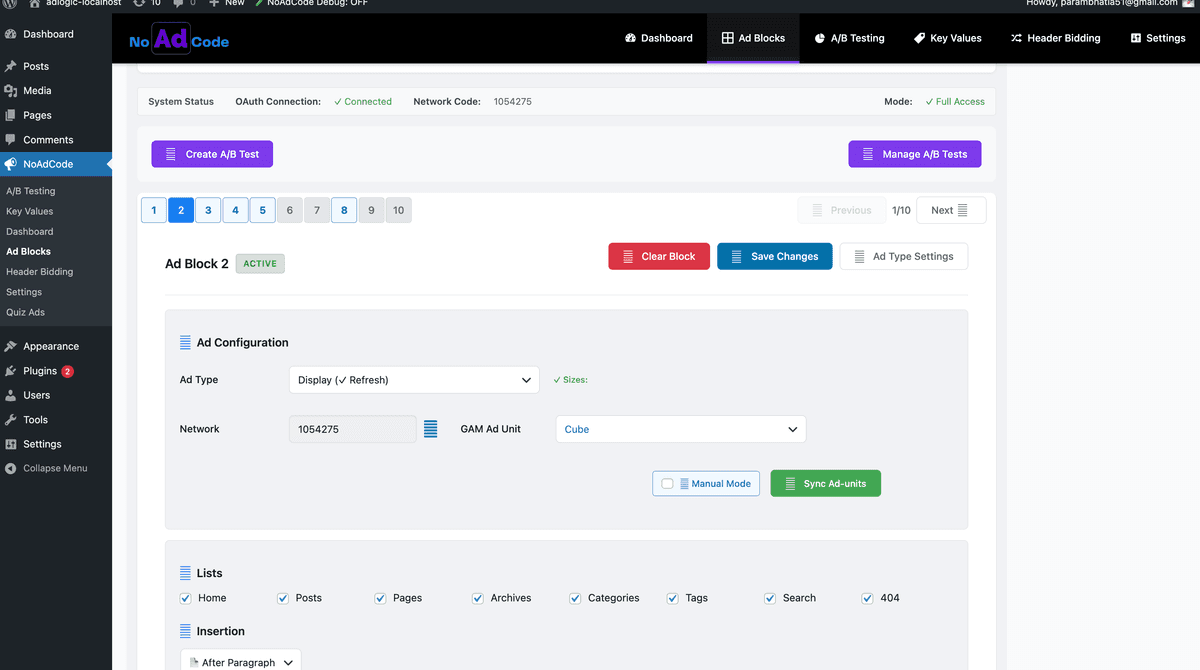
Click "Create A/B Test"
Go to NoAdCode → Ad Blocks in your WordPress admin. Click the Create A/B Test button at the top of the page.
Select Ad Blocks to Test
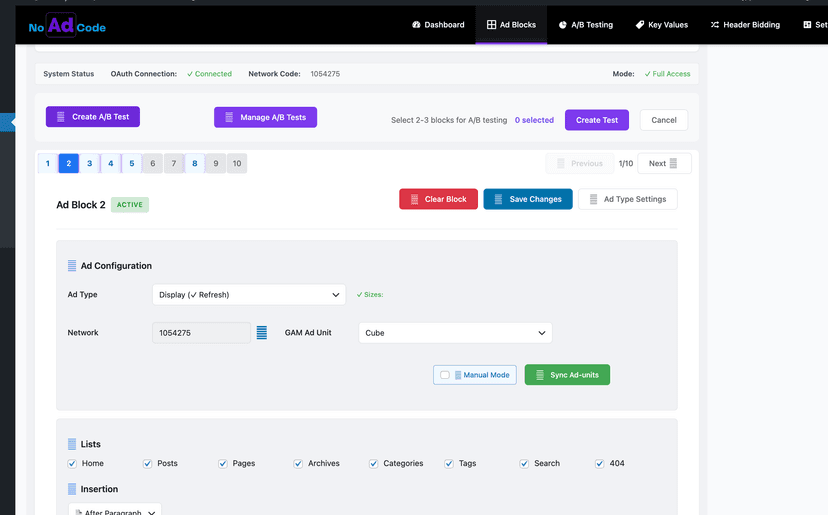
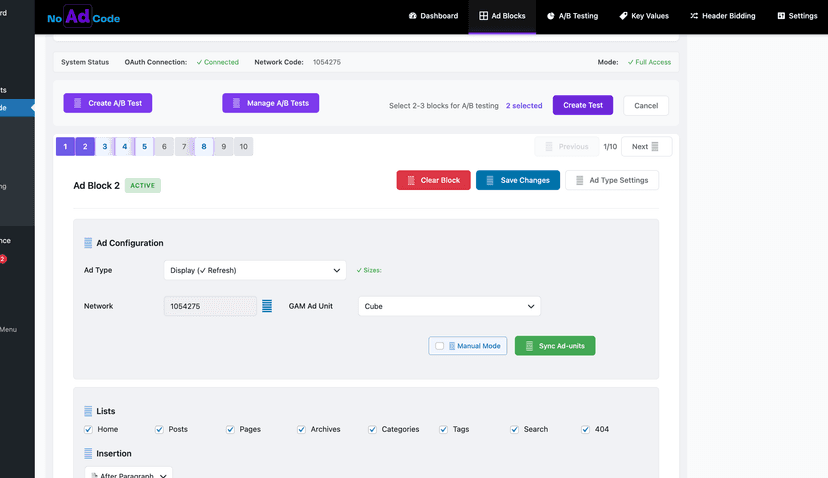
After clicking Create A/B Test, select the ad blocks you want to compare. Click on the block numbers to select them - selected blocks turn purple. Select 2-3 blocks for your test.
The header will show how many blocks are selected (e.g., "2 selected"). You can select 2-3 blocks per test.
Configure Test Settings
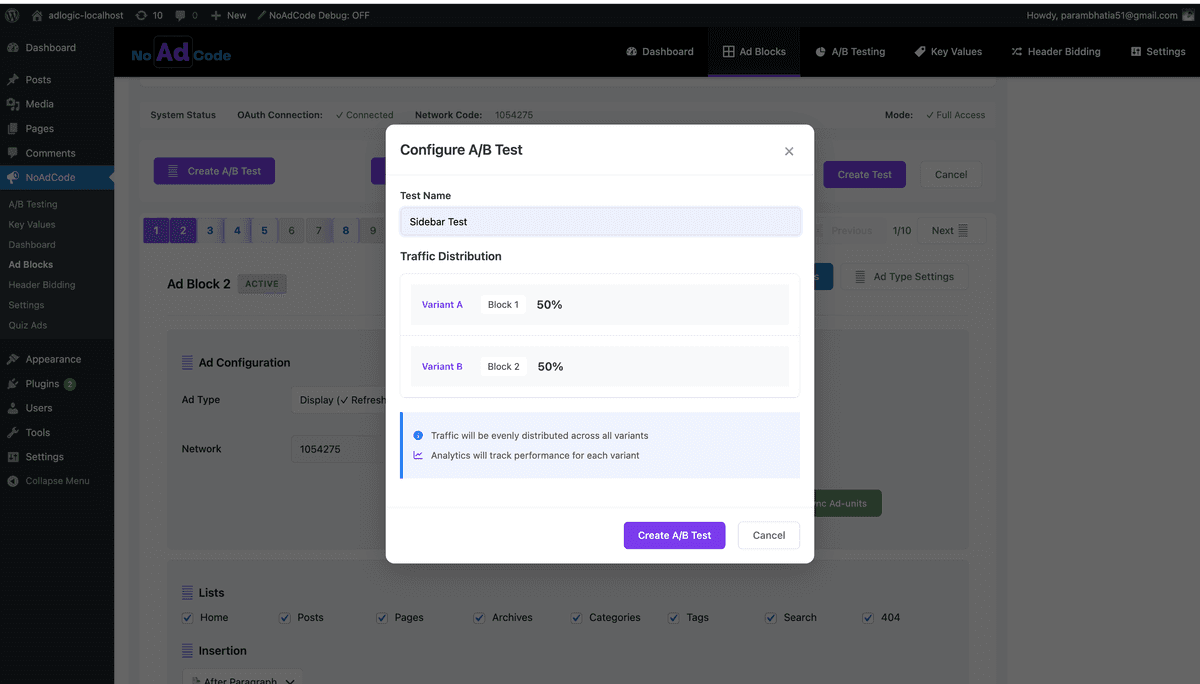
Click Create Test to open the configuration modal. Enter a descriptive test name (e.g., "Sidebar Test").
Traffic Distribution:
- • Traffic is evenly distributed across all variants by default (50/50 for 2 blocks)
- • Analytics will track performance for each variant separately
Launch and Manage Your Test
Click Create A/B Test to start the test. To view your active tests, click Manage A/B Tests button.
Monitor Results
In the A/B Testing dashboard, you can see detailed metrics for each variant including impressions, revenue, eCPM, viewability, and CTR. Export data to CSV for further analysis.
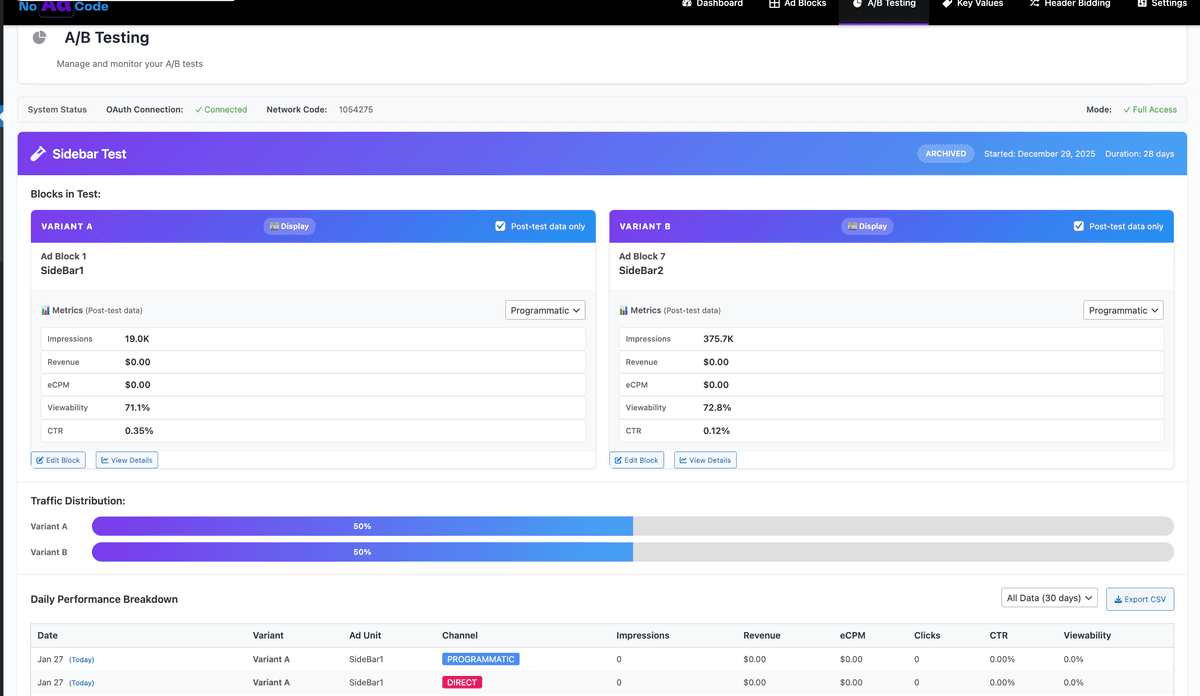
Monitoring Test Results
While your test runs, monitor these key metrics for each variant:
| Metric | Description |
|---|---|
| Impressions | How many times each variant was shown |
| Revenue | Estimated revenue per variant |
| eCPM | Effective cost per thousand impressions |
| Viewability | Percentage of ads that were viewable |
| CTR | Click-through rate (clicks ÷ impressions) |
Daily Performance Breakdown
The A/B Testing dashboard shows daily performance data for each variant, broken down by channel (Programmatic, Direct). You can filter by date range and export all data to CSV for detailed analysis.
Ending a Test
When to End
- Statistical significance is reached
- One variant clearly outperforms others
- The scheduled end date arrives
- You have enough data to make a decision
How to End
- Click "End Test" on the test page
- Select the winning variant to keep
- Other variants stop receiving traffic
- Winner becomes the active ad block
Important
Let tests run long enough to gather meaningful data. A test with only a few hundred impressions may not be statistically significant. Aim for at least 1,000 impressions per variant before drawing conclusions.
A/B Testing Best Practices
Test One Variable
Change only one thing at a time (size OR position, not both) to know what caused the difference.
Run Tests Long Enough
Wait for statistical significance. At least 1,000 impressions per variant is recommended.
Document Results
Keep notes on what you tested and what worked. Build on previous learnings.
Consider Seasonality
Ad performance varies by season. A test in December may differ from one in July.
Optimize Further
A/B testing works best when combined with proper targeting. Learn about Key Values next.